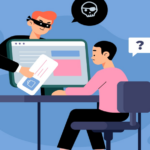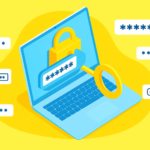

Spams are everywhere – emails, texts, social media messages, and even phone calls. They’re designed to trick you into giving away personal information, money, or access to your accounts. The good news? Most spams share common warning signs. Here’s how to spot them:
1. Check the Sender
- Look closely at the email address or phone number – Spammers often use addresses that look similar to real businesses but have slight changes (e.g. extra letters or unusual domains).
- If it’s from a company you trust, ask yourself – Does this look official?
2. Beware of Urgent Language
- Phrases like “Act now!”, “Your account will be closed!”, or “You’ve won a prize!” are red flags. Spammers want you to panic and click without thinking. Take a moment to pause.
3. Look for Poor Grammar and Spelling
- Professional organisations rarely send messages full of mistakes. If the email feels rushed or sloppy, it’s likely to be a spam.
4. Don’t Click Suspicious Links
- Hover over links before clicking. Does the URL match the company’s official website?
- If you feel the link is suspicious or does not relate, do not click on it.
5. Watch Out for Requests for Personal Information
- Real companies will never ask for passwords, bank details, or PINs via email or text. If they do this it is likely to be a spam.
6. Check Attachments
- Spammers can add attachments to emails that can contain viruses or malware. If you were not expecting an attachment, it is best to not open it until you know what the attachment is.
7. Trust Your Instincts
- If something doesn’t feel right, it may mean it is a spam. When in doubt, contact the company directly using official contact details – not the ones provided in the suspicious message.
Quick Tip:
Enable spam filters on your email and keep your antivirus software updated. These simple steps add an extra layer of protection.
Conclusion:
Staying safe from spams starts with being aware. By paying attention to suspicious details – like unusual senders, urgent language, poor spelling, unexpected links or attachments, and requests for personal information. By being aware you can protect yourself from most common threats. When something feels off, always take a moment to verify it using trusted contact details. A little caution goes a long way in keeping your information secure.